
azFitment Batch Upload allows you to upload multiple parts and fitments into your account at once. To begin, please make sure you are using the azFitment Excel template.
Click on Batch Upload on the navigation like below:
You will get the below screen, where you can select 'Upload Fitments' from select process option and click on 'Create Batch' button.
Step 1:
- Click on the “Download Excel Template” link, to download the Excel template.
- Open downloaded file.
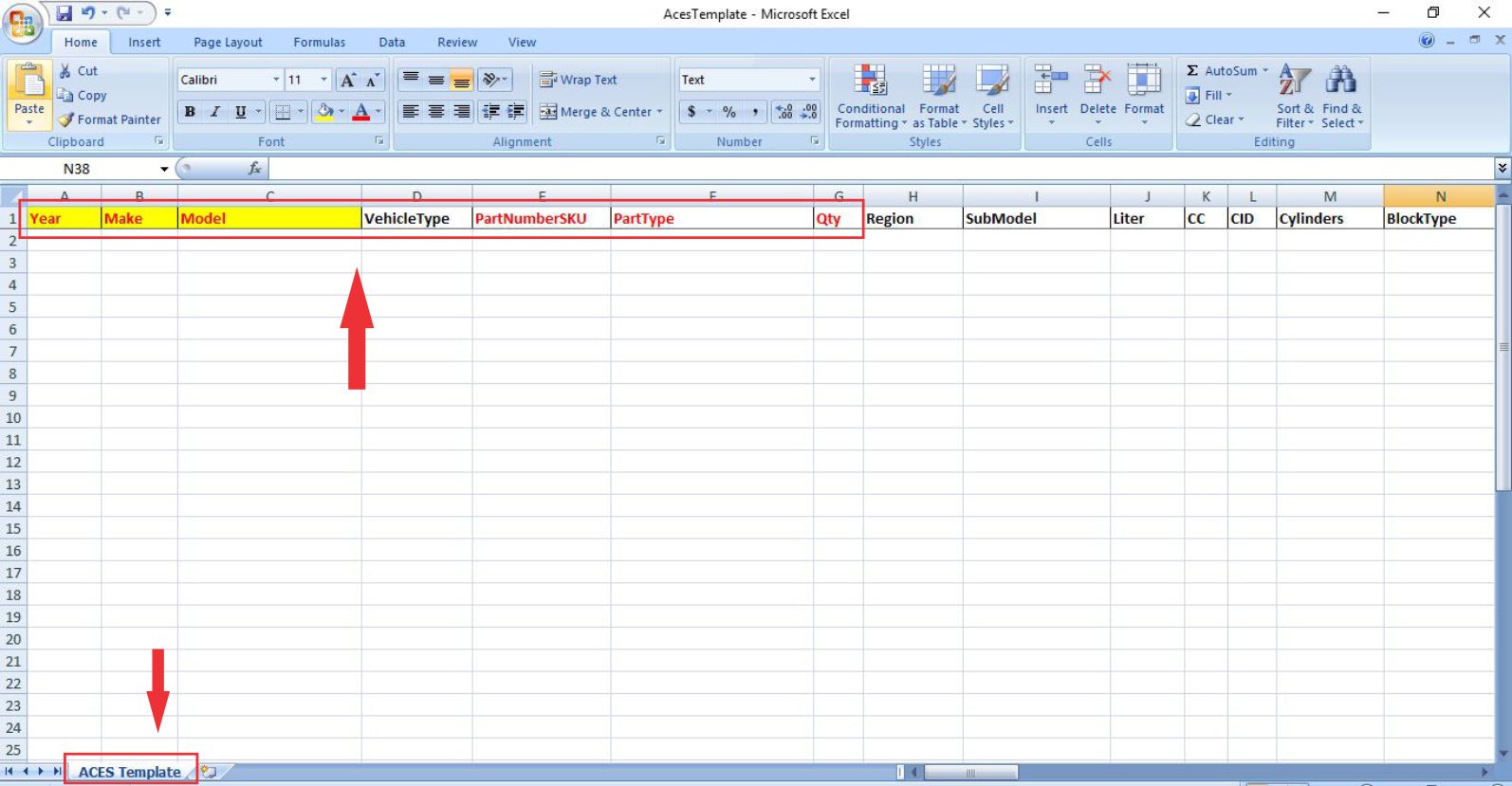
- There are over 60 columns in the Excel template.
- Depending on the part type, additional information might be required.
- The one in red is the required information.
- Please make sure to add the year, make, model, vehicle types options such as car, truck, van, and SUV.
- PartNumberSKU should match your manufacturer part number on your listing.
- PartType is the type of auto parts you sell.
- Quantity is the number of parts needed per vehicle.
- Sheet title should be “Aces Template”
Note: Please make sure you don’t change any column or sheet titles .
Step 3:
If you need to look up vehicle information to add to your fitment data, you can go to “Research” for your research.
Step 4:
It’s essential to have the correct terminology for your Part Type.
- Go to the Research. Here we are looking for the correct part type for Body.
- Start with Category Name, then Sub Category Name and then Part Terminology and click “Search”.
- Once you selected a Part Terminology, you will notice the position information is on the right.
- Depending on your Part Type, the position information can be crucial for your customer to find the correct auto part.
Step 5:
Vehicle data research:
- Go to VCDB Viewer and use the drop down to search for 2019-2020, Audi RS5 Sportback.
- After clicking search, you will see two results, one for each year.
Step 6:
To refine the search result by adding more attributes. In the “Select Additional Attribute” dropdown select the following: Region, Liter, CC, Block Type, and Cylinders and click on the “Add Attributes” button.
Now the search results have expanded into 2 vehicles with additional attributes.
To remove the attributes, uncheck the attributes and click on the “Remove Attributes” button.
Step 7:
Adding fitment data to the Excel template. Starting with 2020, Audi, RS5 Sportback, car for vehicle type, manufacturer part number, the part type will be Bumper covering mounting Tape and quantity equal 1 like below.
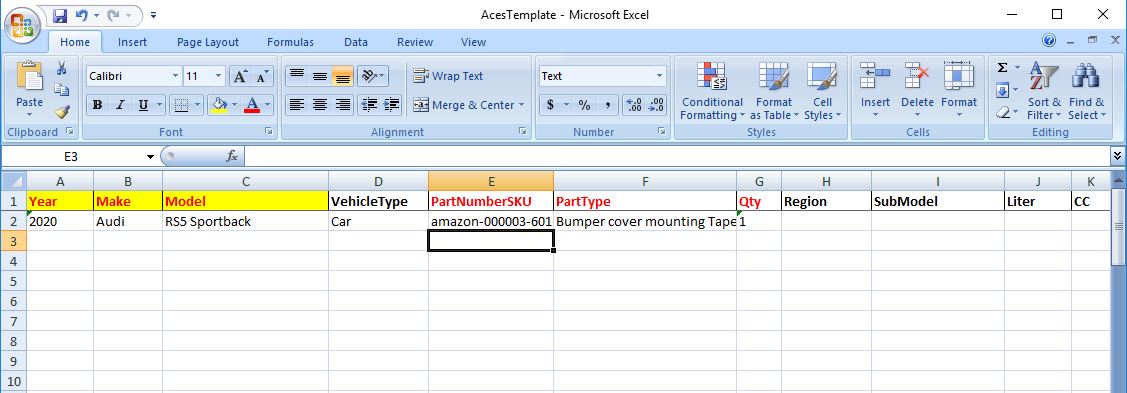
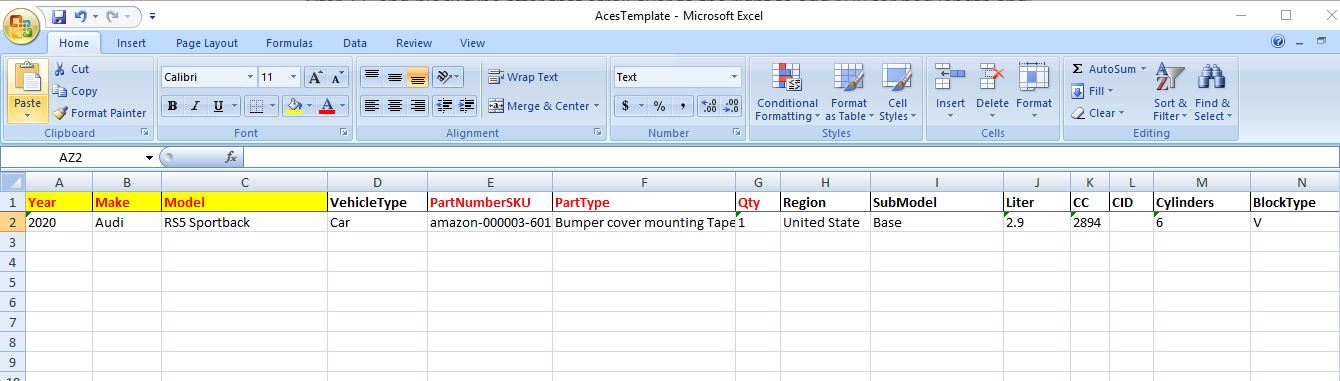
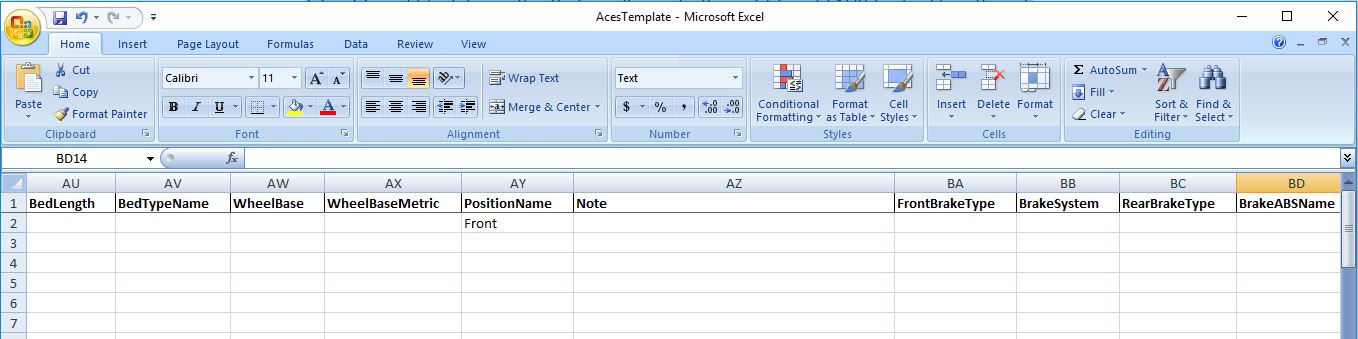
Add the optional attributes to the correct columns, for example, Region, SubModel, Liter, CC and block type after that scroll over to the right to add N/R for bed length and front for the position.
Step 8:
Once added all the information for 2004, we can copy and paste for the rest of the year.
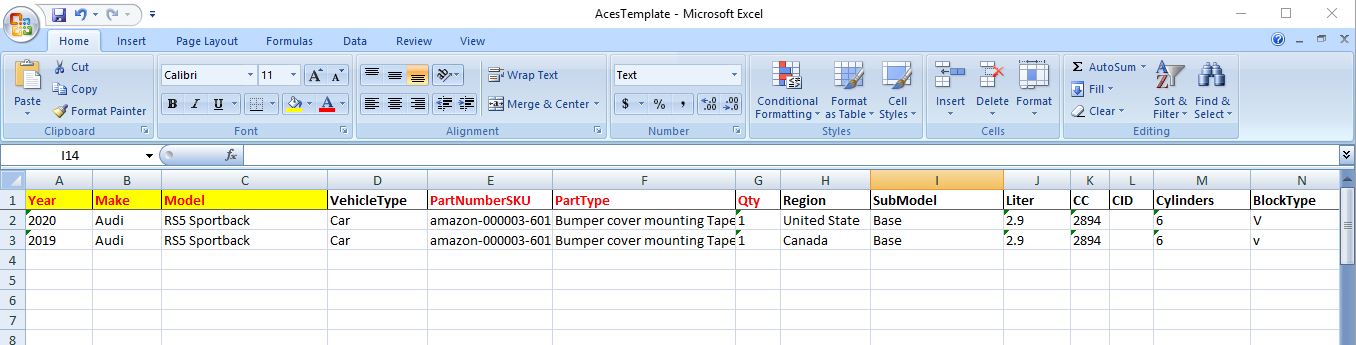
Continue this process to add all your data, once you are ready, go to Batch Upload on azFitment to upload your Excel template.
Comments
0 comments
Please sign in to leave a comment.